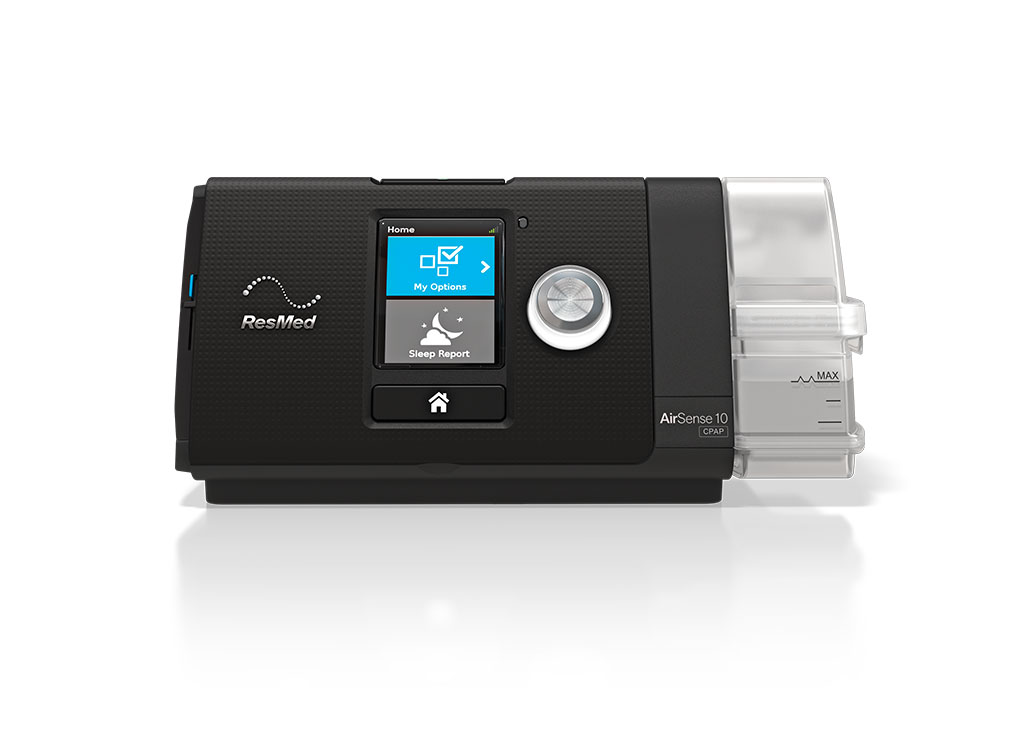
Many connected CPAP machines can share nightly therapy information with a smartphone app or show it on the device screen. ResMed’s myAir app is one example. The AirSense 11 also has a My Sleep View on the device that shows hours used and mask status, and ResMed notes that the app is not required to run the machine. If you use another brand or model, check its documentation for the tools it offers.
These numbers are useful for spotting patterns and having better conversations with your care team. They are device estimates, though, and knowing what each one represents helps you read them sensibly.
Getting the app connected
If you use myAir with an AirSense 11, the user guide describes a short pairing process. Make sure the latest version of the app is installed, the machine is set up and plugged in, then open the app and follow its prompts to connect over Bluetooth. ResMed’s myAir page describes what the app offers, including setup guidance and mask fitting videos. Other apps have their own steps, so follow the instructions that came with your device.
Usage hours
Usage hours reflect how long therapy was running during the night. They describe time on therapy, which is different from time asleep. If you lie awake for an hour with the mask on, that hour may still count. If you take the mask off at 3 a.m. without realising, usage will show the shortfall.
Your care team uses usage to see how consistently therapy is part of your nights. If your hours are lower than you expected, think about why. Did you wake and remove the mask? Was it hard to fall asleep with it on? Was there a comfort problem? Our page on making CPAP a positive experience covers some of the early adjustment issues that affect how long people keep the mask on.
Insurance plans and funding programs may have their own usage requirements. Those vary, so ask your insurer or care team what applies to you.
Device-estimated events
Your app may report an events-per-hour figure, sometimes labelled AHI. It is the device’s estimate of breathing events, based on airflow, during the time therapy was running. A diagnostic sleep study measures breathing with several different sensors in a controlled setting, so the two figures are not equivalent.
Rather than judging the number yourself, ask your care team two things: what target or range they use for your therapy, and which changes they would like to hear about. Some teams want a call if a pattern lasts several nights; others may want to know sooner about certain changes. Having that agreed in advance makes the data much easier to act on.
Whatever the app shows, leave your prescribed pressure settings to your treating team. The data is there to support that conversation, not to replace it.
Leak and mask seal
Leak information is where apps differ most. myAir shows a mask seal score. Other apps and devices may show a leak rate, a warning or another indicator. Check what your own app means by its display before comparing it with anyone else’s.
Every vented mask releases some air on purpose through its vents. Leak readings are concerned with air escaping beyond that. Common sources include a mask that shifts during sleep, a cushion that has worn or is sitting out of place, uneven strap tension, and, with a nasal mask or nasal pillows, air escaping through an open mouth. That last one is called a mouth leak and is a separate issue from a cushion that has lost its seal.
Displayed values also have limits. The AirSense 11 user guide lists the accuracy of its displayed leak value and notes that results may be inaccurate in the presence of leaks or supplemental oxygen. Treat individual numbers as approximate, and pay attention to trends alongside how you feel. If your machine has a mask fit function, running it while lying in your usual sleep position can help you find where air is escaping before you change anything else.
A short example log
A few lines each morning turn app numbers into something your team can work with. Here is a hypothetical week:
- Mon: 7 h usage, mask seal good, slept well.
- Tue: 6.5 h, seal flagged, woke on my side with the mask shifted.
- Wed: 4 h, took mask off around 3 a.m., blocked nose.
- Thu: 7 h, seal good, tried a smaller strap adjustment.
The notes after each number are the part the device cannot capture. It shows your team what was happening behind each number.
Questions to bring to your next appointment
- What estimated event range are you aiming for with my therapy?
- Which changes in my data should prompt me to call, and how soon?
- My app keeps flagging mask seal. Can we look at what might be causing it?
- My usage is short on most nights. What could help me keep the mask on longer?
How your team receives data
Your app and your care team may not see the same thing. On the AirSense 11, the guide explains that therapy data can be sent wirelessly to your care provider over a cellular connection after therapy stops, and that some devices use an SD card instead. Your team may therefore see a more detailed report than your app shows. Ask how they receive your data and how often they review it, so you know whether to mention a pattern or assume they have seen it. Our FAQ page covers other general questions about therapy and follow-up.
When data does not appear
If your care team is not receiving your data, a few practical checks from the AirSense 11 guide may help. Leave the device plugged in, keep it out of Airplane Mode unless you need it, and place it somewhere with wireless coverage, such as on a bedside table rather than in a drawer or on the floor. The guide also notes that data might not transmit if the device is used outside the country or region where it was bought. Other machines have their own connection steps.
Help with the equipment side
CPAP Central can help with mask fit, seal problems and equipment questions that show up in your data. Reach us through our contact page or visit a store on our locations page.